How to Turn a YouTube Video Into a Blog Post Without It Sounding Robotic
A plain prompt turns a video transcript into a tidy post, but it also adds things the speaker never said. Here is the test, and the prompt that fixes it.
How to Turn a YouTube Video Into a Blog Post Without It Sounding Robotic
Turning a video into a blog post looks like the easiest job for AI: paste in the transcript, ask for a post. It does work. But I tried it, and the result had a quiet problem that is easy to miss. Here is the test, what went wrong, and the prompt I would use instead.
The test
I wrote a short, rambling transcript in the way people talk on camera, with “um”, “like”, and “right” scattered through it. It is about cooking rice. It is invented for this article, so no real creator’s words are used. It includes some precise details: cold water rinsing, three or four rinses, one cup of basmati to one and a quarter cups of water, ten minutes cooking, ten minutes resting, and a ratio for short grain but no cooking time for short grain.
That last gap is deliberate. A good post should notice it.
Attempt 1: the obvious prompt
Turn this transcript into a blog post.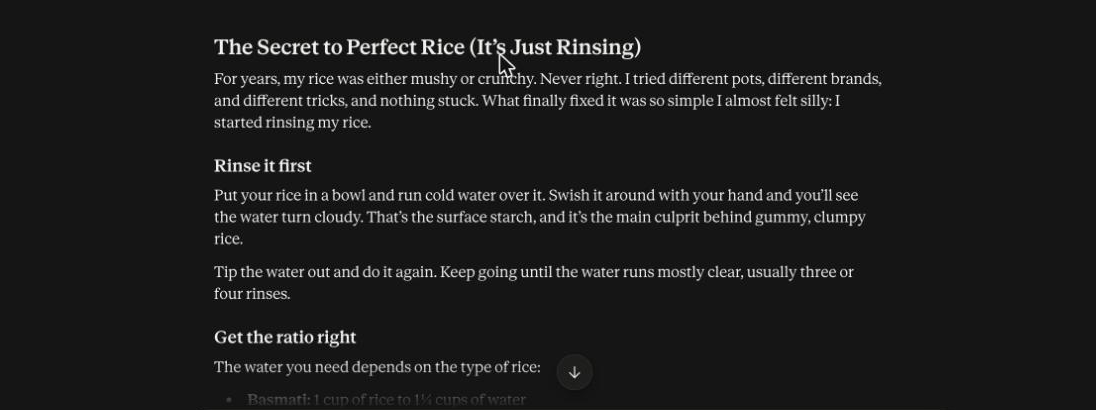
The result is clean and readable. It has a title, short sections, a numbered method, and a clear ending. If I had not compared it with the transcript, I would have been happy with it.
But I did compare it. Two things stand out:
- It added a sentence the speaker never said: “I tried different pots, different brands, and different tricks, and nothing stuck.” The transcript only says the rice was mushy or crunchy for years. The AI invented a backstory that sounds plausible.
- It added claims about why things work. It called starch “the main culprit behind gummy, clumpy rice”, and said “it takes about a minute”. The speaker said neither. These may be true, but they are the AI’s words in the creator’s mouth.
None of this is dramatic. But if you publish a post under someone’s name, or your own client’s, you are putting claims in their voice that they did not make. That is exactly the kind of thing that makes a client lose trust.
Attempt 2: a prompt with rules
Turn this transcript into a blog post of about 250 words. Rules:
1. Use only facts, numbers and examples that are in the transcript. Do not add anecdotes, reasons or details the speaker did not say.
2. Keep the speaker's own phrasing where it reads well, but remove filler words (um, like, right).
3. Reorder only if it helps a reader.
4. If something a reader would need is missing (for example a cooking time for short grain), insert [GAP: what is missing] instead of guessing.
5. No generic intro or conclusion.

TRANSCRIPT: [paste]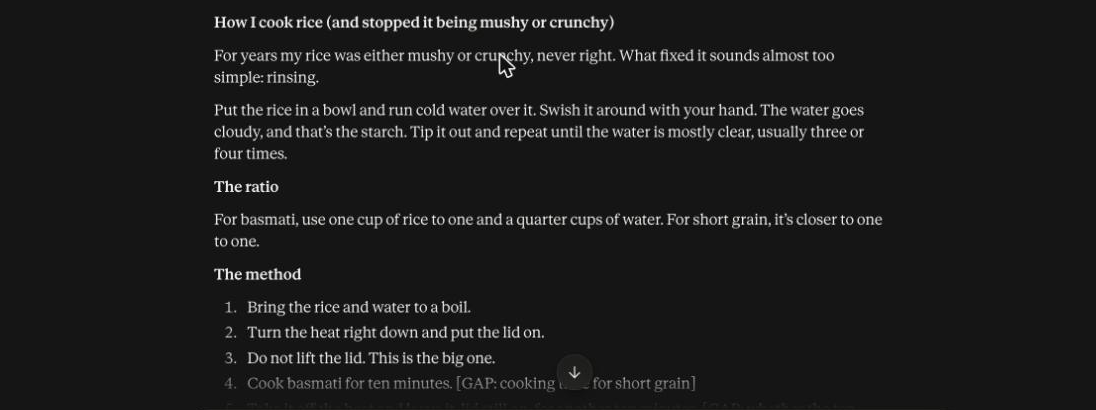
This time the post kept the speaker’s own lines, such as “What fixed it sounds almost too simple”, “that’s the starch” and “Do not lift the lid. This is the big one.” It dropped the invented backstory. And it did what I hoped: it marked [GAP: cooking time for short grain] and [GAP: whether the ten-minute rest also applies to short grain], rather than guessing a number.
It also added a note explaining what it left out, and said the post came out at about 190 words rather than 250, because the transcript did not contain enough to reach 250 without padding. I did not ask for that note. It is the most useful part, because it tells you the source is thin.
Why the second version feels less robotic
Robotic writing usually comes from three things: generic phrases, added claims, and flat structure. The rules deal with the first two directly. Keeping the speaker’s phrasing is what makes the post sound like a person. Adding “what the AI would say” is what makes it sound like everyone else.
The process I’d follow
- Get a clean transcript. Auto-captions are full of errors, especially with names and numbers. Fix those first.
- Run the rules prompt. Change “250 words” to the length you need.
- Compare against the transcript. Read each sentence and ask, “Did the speaker say this?” Cut or fix anything they didn’t.
- Fill the [GAP] markers. Go back to the video, or ask the creator.
- Add what only you can add. A link to the video, a photo, or a note from your own experience.
- Read it aloud. If a sentence sounds like an ad, rewrite it.
If you do this for clients
Put “I flag anything missing rather than guessing” in your gig description or proposal. It is a real selling point, because clients have been burned by writers who pad. It is also true of this workflow: the [GAP] markers become your questions back to the client.